React/ReactJS: Difference between defaultValue and value
Forms are integral part of almost every web application; even the simplest of business websites has a contact form.
In React, forms can be implemented in two ways and here is where
beginners often stumble upon the common mistake of assigning a
value without a handler or using both
defaultValue and
value together on form elements, which
leads to logging warning messages (as such) in the console:
Warning: [YourComponent] contains an input of type text with both value and defaultValue props. Input elements must be either controlled or uncontrolled (specify either the value prop, or the defaultValue prop, but not both). Decide between using a controlled or uncontrolled input element and remove one of these props.
In this tutorial, we will rectify such error-prone approaches and learn how to implement forms properly thereby exploring the concepts of controlled and uncontrolled components in React. But before we begin, here is the concise summary of the entire lesson:
In React, defaultValue is used with
uncontrolled form components
whereas value is used with
controlled form components. They should not be used together in a form element.
defaultValue and Uncontrolled Components
The traditional HTML forms where you use JavaScript/jQuery to get
the values from its input elements are the typical forms with
uncontrolled components. There is no explicit use of state variables
and no implementation of any event handler whatsoever to update the
input values. So, inserting
onChange() to the uncontrolled
<input/> component in this case
will be unnecessary. Their values are just what we type in.
To go about implementing such uncontrolled components inside forms
in React, we need to attach a
ref
to the <input/> element. This ref
is created inside the constructor() via
the React.createRef() API. When the form
is submitted, the reference to the
<input/> element is achieved via
the current attribute of the attached
ref. So, the value which the user enters can be had with
current.value.
Here is an example of a form with an uncontrolled
<input/> component (which is of
type=email).
						class NewsletterForm extends React.Component {
						  constructor(props) {
						    super(props);
						    this.handleSubmit = this.handleSubmit.bind(this);
						    this.email = React.createRef();
						  }

						  handleSubmit(e) {
						    console.log('Submitted email: ', this.email.current.value);
						    e.preventDefault();
						  }

						  render() {
						    return (
						      <form onSubmit={this.handleSubmit}>
						        <label>
						          Email:
						          <input type="email" ref={this.email} />
						        </label>
						        <input type="submit" value="Submit" />
						      </form>
						    );
						  }
						}

						export default NewsletterForm;
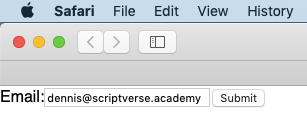
We input some value which is fetched with
this.email.current.value inside
handleSubmit() . This is also the same
value which
document.querySelector('input[type=email]').value
would return.
Now what happens when we add the
value attribute to the
<input/>? Suppose we decide to
give it an intial value of something, say,
example@example.com.
						  render() {
						    return (
						      <form onSubmit={this.handleSubmit}>
						        <label>
						          Email:
						          <input value="example@example.com" type="email"
						          	ref={this.email} />
						        </label>
						        <input type="submit" value="Submit" />
						      </form>
						    );
						  }
Firstly, you will notice that the application threw a warning message into the browser's console.
Warning: Failed prop type: You provided a `value` prop to a form field without an `onChange` handler. This will render a read-only field. If the field should be mutable use `defaultValue`. Otherwise, set either `onChange` or `readOnly`.
Forget the warning message for the time being.
The other thing you will notice is that you are unable to type in or
enter anything into the input box; whatever you are typing in is not
showing or reflecting — the initially assigned value
example@example.com stays put! This is
because, in the lifecycle of React's rendering, the
value attributes in the form elements
overrides the values in the DOM. To handle such cases, React came up
with the defaultValue attribute, which
specifies the initial value but leave the ensuing updates
uncontrolled. Here is the correct way.
						  render() {
						    return (
						      <form onSubmit={this.handleSubmit}>
						        <label>
						          Email:
						          <input defaultValue="example@example.com" type="email"
						          	ref={this.email} />
						        </label>
						        <input type="submit" value="Submit" />
						      </form>
						    );
						  }
You will also notice that the warning message is also not logged this time.
value and Controlled Components
In
controlled components, we assign a state variable to the
value along with a handler to update the
assigned state variable. Below is an example. The
value attribute is assigned the
this.state.email state variable and the
onChange event is assigned the
handleEmail() handler, which gets
triggered everytime a character is typed, which in turn updates the
this.state.email state and thereafter
the displayed value. Remember again,
defaultValue and
value are never used together in a form
element.
This is the recommended way to implement forms in React.
						class NewsletterForm extends React.Component {
						  constructor(props) {
						    super(props);
						    this.state = {
						    	email: ''
						    };
						  }

						  handleEmail = (e) => {
						    this.setState({
						    	email: e.target.value
						    });
						  }

						  render() {
						    return (
						      <form>
						        <label>
						          Email:
						          <input type="email" value={this.state.email}
						          	onChange={this.handleEmail}/>
						        </label>
						        <input type="submit" value="Submit" />
						      </form>
						    );
						  }
						}

						export default NewsletterForm;